LED Pixel Pitch Guide: How to Choose the Right Pixel Pitch for Your Video Wall in 2026
When shopping for an LED video wall, you'll quickly encounter numbers like P0.9, P1.2, P1.5, P1.8, and P2.5. But what do those numbers actually mean? And does a smaller number always mean a better display?
The short answer: Not necessarily!
Pixel pitch is one of the most important specifications of an LED video wall. It influences image sharpness, viewing distance, screen resolution, and often the overall cost of an installation.
But choosing the smallest available pixel pitch isn't always the smartest decision. A premium P0.9 display might look incredible in a close-viewing environment, yet offer little practical advantage over a more affordable P2.5 display when your audience is watching from across a large room.
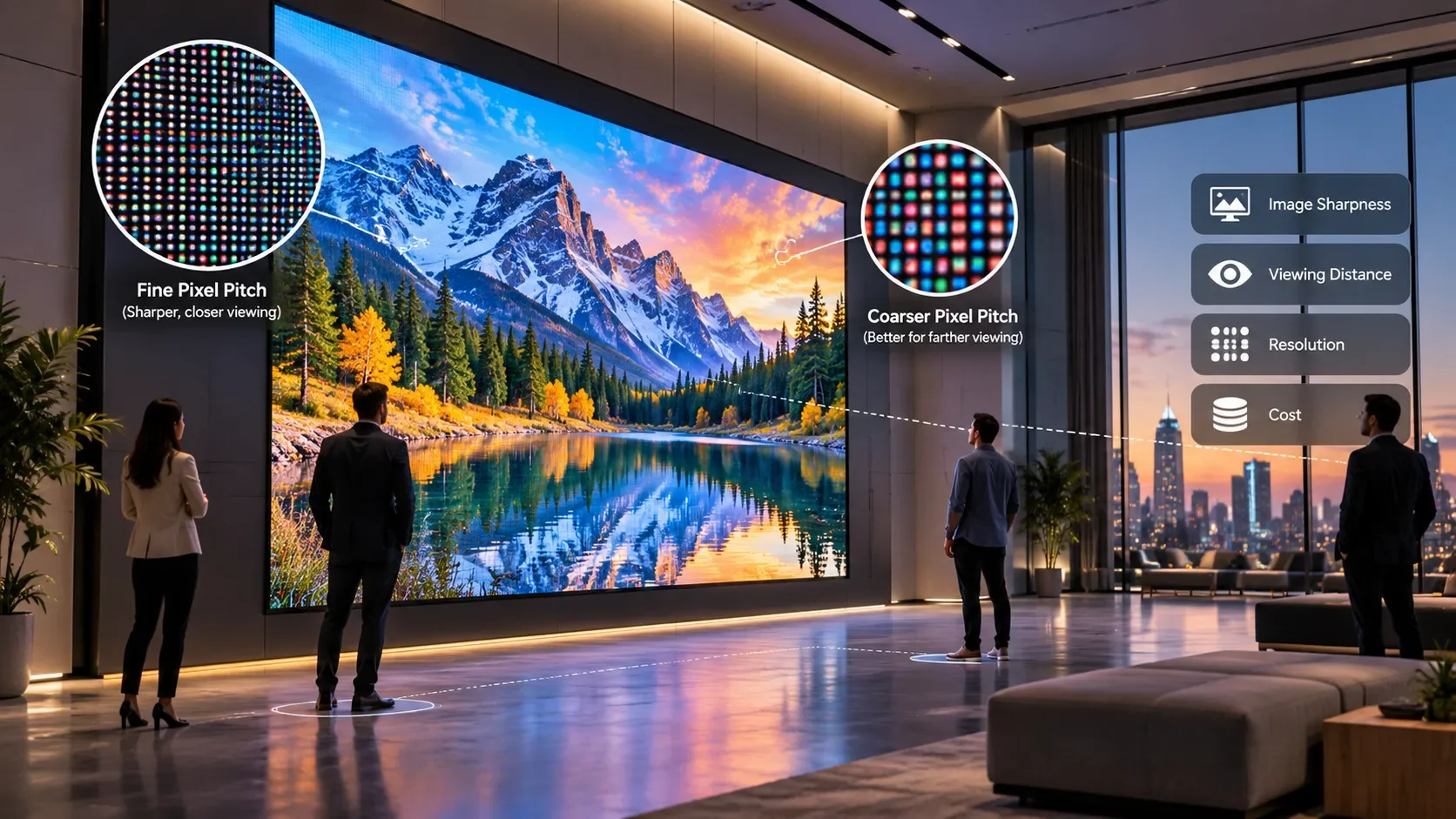
The secret is matching the technology to the space, not simply buying the highest specification.
In this guide, we'll break down what pixel pitch means, compare popular options, explore real-world installations, and help you find the right balance between image quality, viewing distance, and budget.
1. What Is Pixel Pitch in an LED Display?
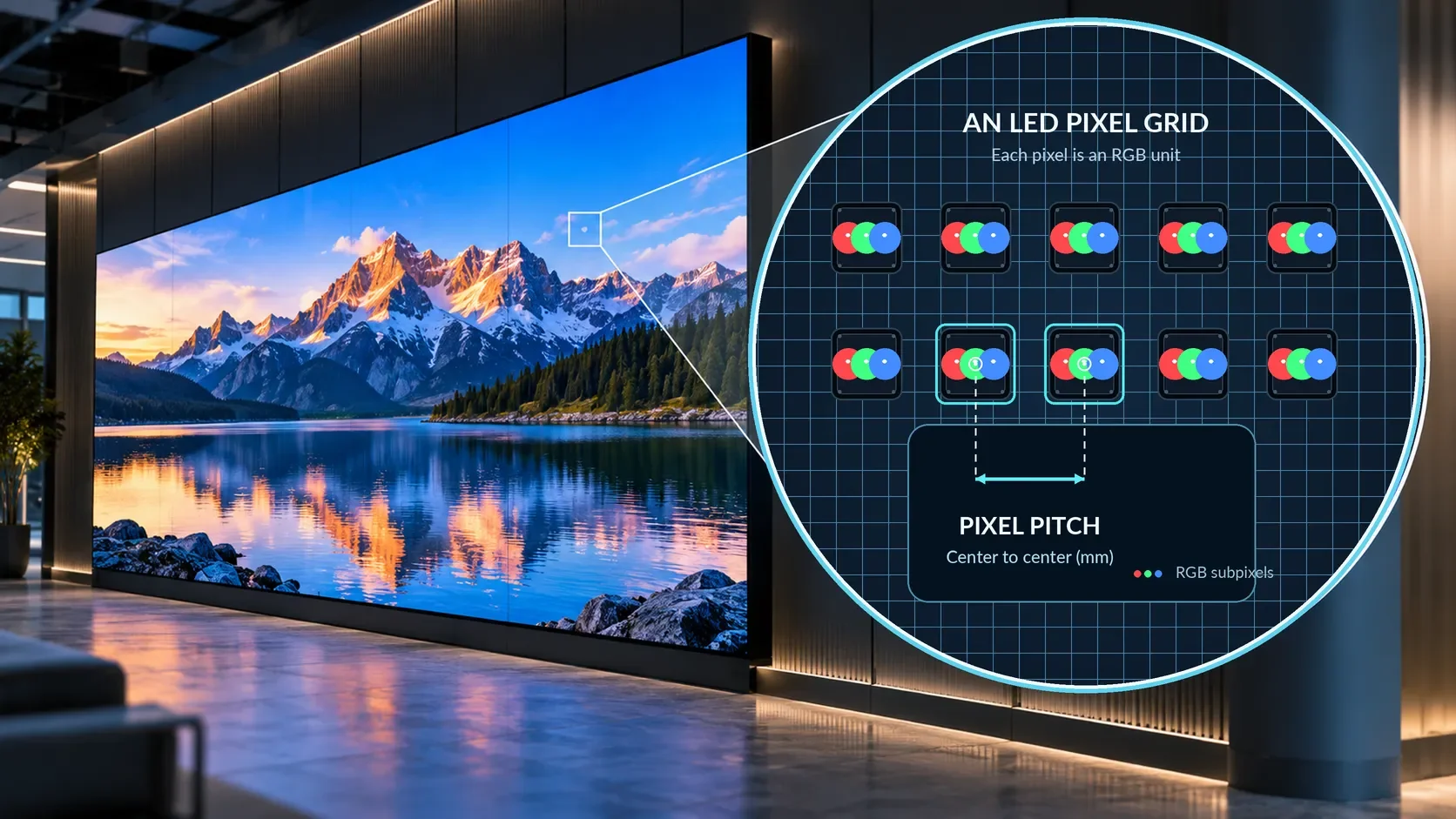
Pixel pitch refers to the distance, measured in millimeters, between the centers of two neighboring pixels on an LED display.
Each full-color pixel produces the red, green, and blue light needed to create an image. When thousands or millions of these pixels work together, they form the pictures, videos, graphics, and text we see on a video wall.
The closer these pixels are together, the more image detail can fit into the same physical screen area.
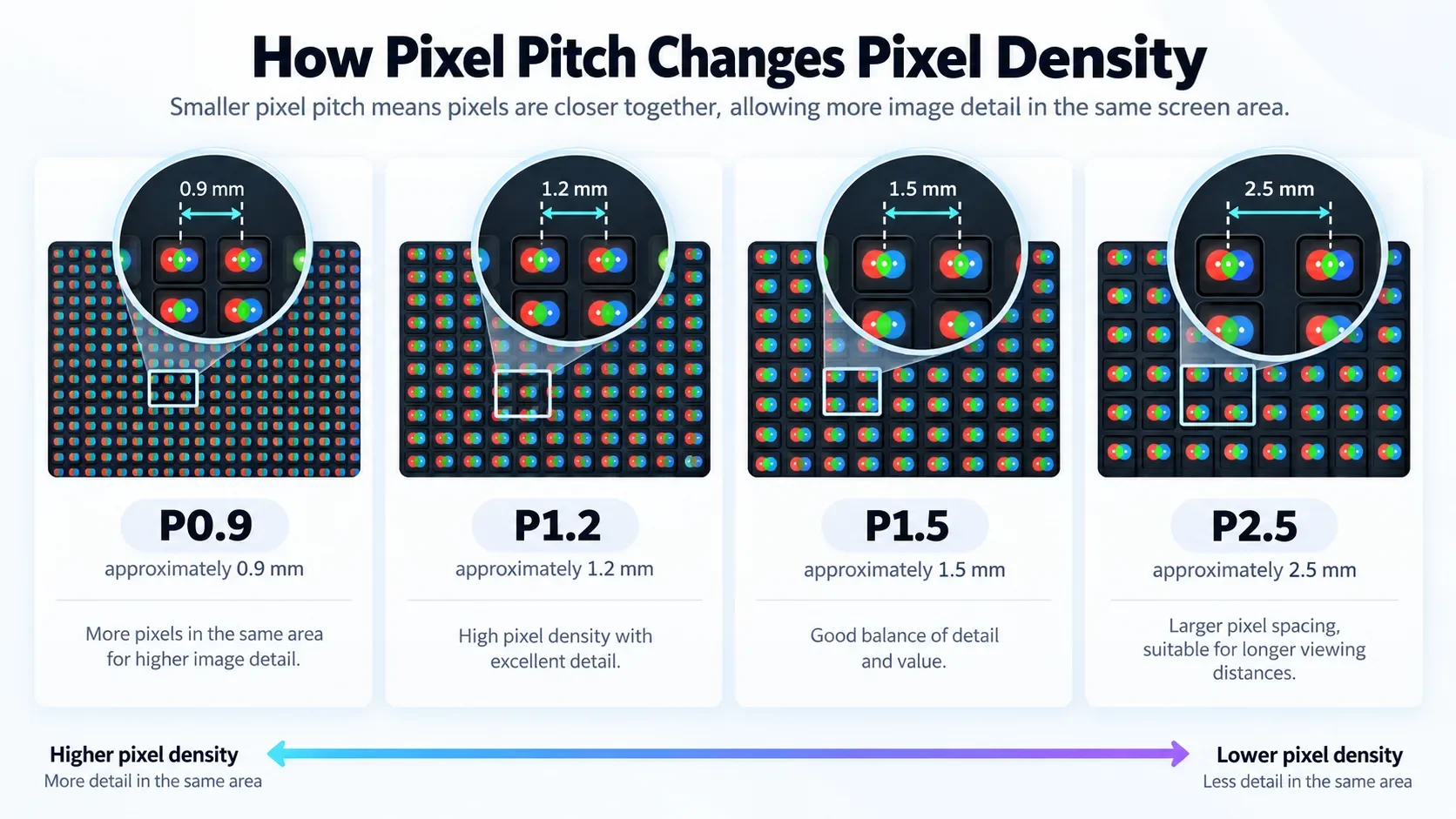
For example:
P0.9: Approximately 0.9 mm between neighboring pixel centers.
P1.2: Approximately 1.2 mm.
P1.5: Approximately 1.5 mm.
P2.5: Approximately 2.5 mm.
The letter P simply stands for pitch!
A smaller pixel pitch means higher pixel density, assuming otherwise comparable pixel arrangements. That generally allows smoother detail and sharper text at closer viewing distances.
Try It Yourself: How Pixel Pitch Affects Pixel Density
LED Pixel Density Simulator
INTERACTIVEDrag the slider to change pixel pitch and explore how it affects pixel density.
Fixed 24 × 12 mm sample area
But there's an important distinction: pixel pitch describes physical pixel spacing, not automatically the overall quality of the display.
A video wall's appearance also depends on its brightness, contrast, color accuracy, processing, calibration, surface construction, and the quality of the content itself.
2. Why Smaller Pixel Pitch Doesn't Always Mean Better Value
Imagine two LED video walls with identical physical dimensions.
One uses P1.2 technology. The other uses P2.5.
Because the P1.2 display fits more pixels into the same area, it can reproduce finer details and sharper edges.
If you're standing just a few feet away, that difference may be easy to notice.
But what happens when you move farther back?
As the viewing distance increases, individual pixels become increasingly difficult to distinguish. Eventually, the difference in pixel density may become much less noticeable for the content you're watching.
That's where the buying decision gets interesting.
A finer pixel pitch provides more pixel detail, but you won't always benefit from that extra detail.
This is especially important for businesses working with limited budgets.
For example, a corporate meeting space displaying detailed financial charts may benefit from a fine-pitch LED wall. An auditorium displaying large presentation slides to viewers sitting dozens of feet away may not need the same specification.
Choosing wisely can free up money for other important features, such as better processing, improved brightness, a larger screen, or professional installation.
3. Pixel Pitch vs. Viewing Distance: The Most Important Relationship
One of the first questions to ask when choosing an LED video wall is surprisingly simple:
How close will people stand or sit to the screen?
Viewing distance is a major factor in pixel-pitch selection.
If viewers are extremely close to a coarse-pitch LED display, they may begin to notice the spaces between pixels or see a visible pixel pattern.
As they move farther away, the pixels blend into a more continuous image.
That's why displays intended for close viewing typically use finer pixel pitches than those designed for stadiums, concert venues, or large outdoor advertising installations.
A practical viewing-distance guideline
There isn't one universal formula that works for every LED wall.
Industry guidance varies because manufacturers distinguish between minimum acceptable distance, comfortable distance, and the distance at which individual pixels become difficult to resolve.
For early planning, one conservative rule is:
CONSERVATIVE PLANNING RULE
Pixel pitch (mm) × 3 ≈ viewing distance (meters)
For example, P1.5 × 3 = approximately 4.5 meters (14.8 feet).
LED Pixel Pitch Explorer
Pixel pitches meeting the conservative 3 m/mm reference
This illustrative tool applies only the pitch × 3 planning convention. It doesn't establish a minimum viewing distance or select the best product; actual recommendations also require screen size, content, and installation details.
This is a planning reference, not a minimum safe viewing distance or a requirement for every installation.
Christie's 2026 guidance uses this approximate relationship for optimal viewing-distance planning. Other manufacturers, including Planar, describe shorter comfortable viewing distances depending on the application and individual preferences.
Common pixel pitches compared
| Pixel pitch | Conservative viewing reference | Typical applications |
|---|---|---|
| P0.9 | ~9 ft / 2.7 m | Premium close-viewing installations |
| P1.2 | ~12 ft / 3.6 m | Conference rooms, detailed presentations |
| P1.5 | ~15 ft / 4.5 m | Corporate spaces, lobbies |
| P1.8 | ~18 ft / 5.4 m | Retail, medium meeting spaces |
| P2.5 | ~25 ft / 7.5 m | Larger venues, signage |
| P3.9 | ~38 ft / 11.7 m | Event displays, distant-viewing signage |
Approximate distances follow the pitch × 3 m planning rule, rounded for readability. They are not strict minimum distances or manufacturer-specific performance guarantees.
These numbers are useful starting points, but they aren't absolute.
A P1.5 display can certainly be watched from closer than 15 feet. Whether that looks good depends on the content, installation, and viewer expectations.
Pixel Excel Tip: Always evaluate the closest regular viewing position—not just the average viewing distance. In a hotel lobby, for example, some visitors may see the screen from 20 feet away while others walk right past it.
4. Pixel Pitch vs. Resolution: What's the Difference?
Pixel pitch and resolution are closely related, but they aren't the same thing.
Pixel pitch tells us how far apart the pixels are physically.
Resolution tells us how many pixels make up the complete image.
A 4K display, for example, has a resolution of 3840 × 2160 pixels. But an LED video wall doesn't automatically have 4K resolution simply because it's large or expensive.
Its native resolution depends on both the wall's physical dimensions and its pixel pitch.
Let's compare two identical-sized LED walls
Imagine an LED wall measuring 3.84 meters wide by 2.16 meters high, roughly 12.6 × 7.1 feet.
3.69 million pixels
1.33 million pixels
The P1.5 display contains approximately
2.8×as many pixels as the P2.5 display.
Both displays occupy exactly the same wall space, but the finer-pitch model has considerably more native resolution.
This can matter enormously when displaying spreadsheets, presentation slides, technical drawings, menus, dashboards, or other content containing small details.
For large promotional videos seen from farther away, the practical advantage may be less dramatic.
These calculations assume the stated physical dimensions and nominal pitches are exact. Actual LED-wall dimensions and resolutions depend on the manufacturer's module and cabinet configurations.
How to calculate LED video wall resolution
The basic formula is straightforward:
Horizontal pixels = screen width (mm) ÷ pixel pitch (mm)
Vertical pixels = screen height (mm) ÷ pixel pitch (mm)
For an early estimate, this calculation is extremely useful. For an actual purchase, always confirm the manufacturer's native resolution and available cabinet sizes.
5. Which Pixel Pitch Is Best for Different Applications?
Now that we understand the basics, let's look at where various pixel pitches make the most sense.
These aren't rigid recommendations. Think of them as starting points before evaluating the actual space.

Conference Rooms and Boardrooms
START BY COMPARING P0.9–P1.5
Meeting rooms often feature detailed presentations, charts, and text. Fine-pitch LED can make sense where viewers sit close and sharp detail is essential.
Corporate Lobbies and Hotels
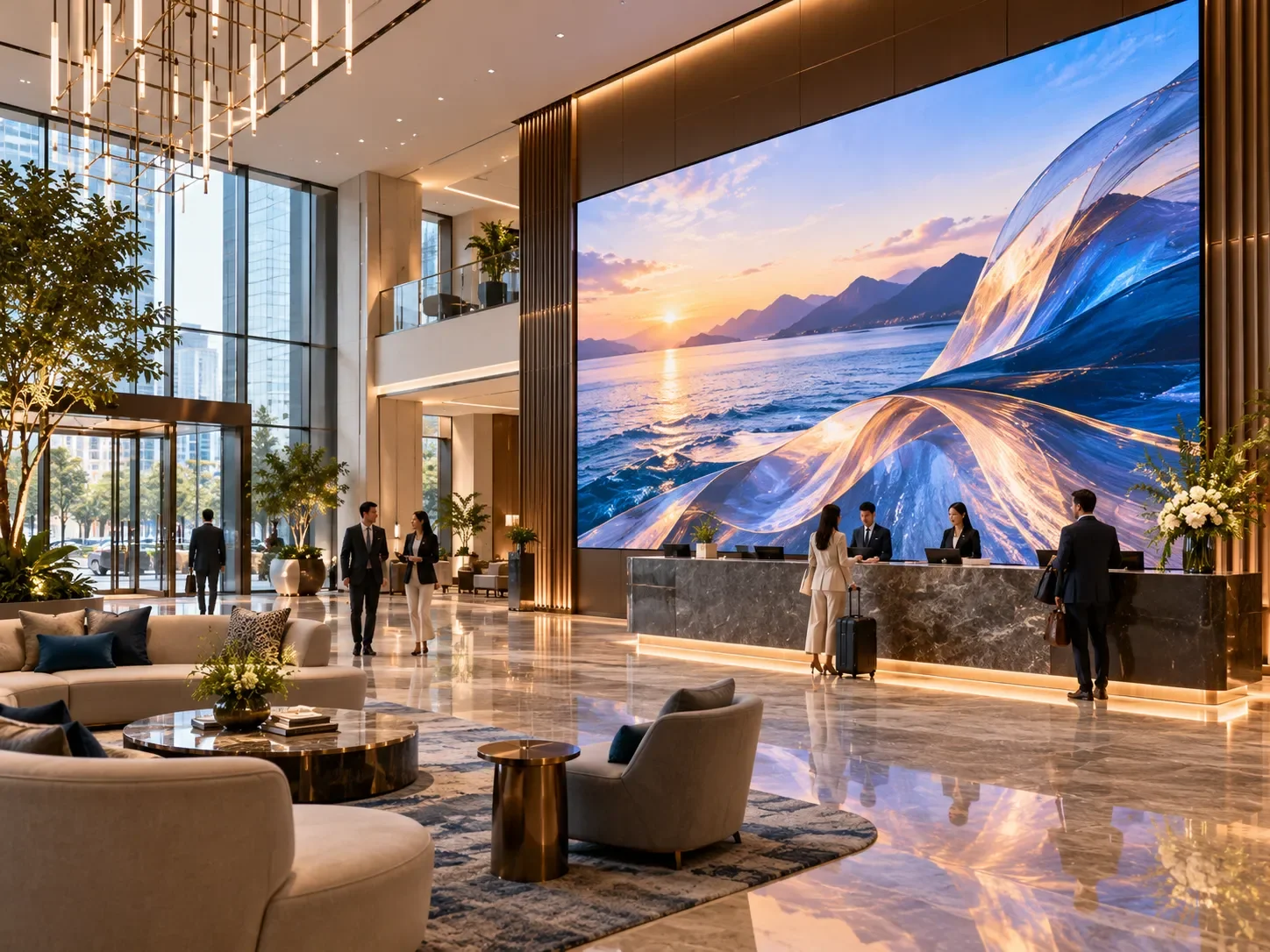
START BY COMPARING P1.2–P2.5
Visitors may view the screen from different distances. Consider whether the primary purpose is fine-detail information, brand storytelling, or large-format digital art.

Retail Stores and Showrooms
START BY COMPARING P1.5–P2.5
Retail installations need attention-grabbing visuals. The closest customer position, text size, and amount of detail matter more than choosing the finest pitch automatically.
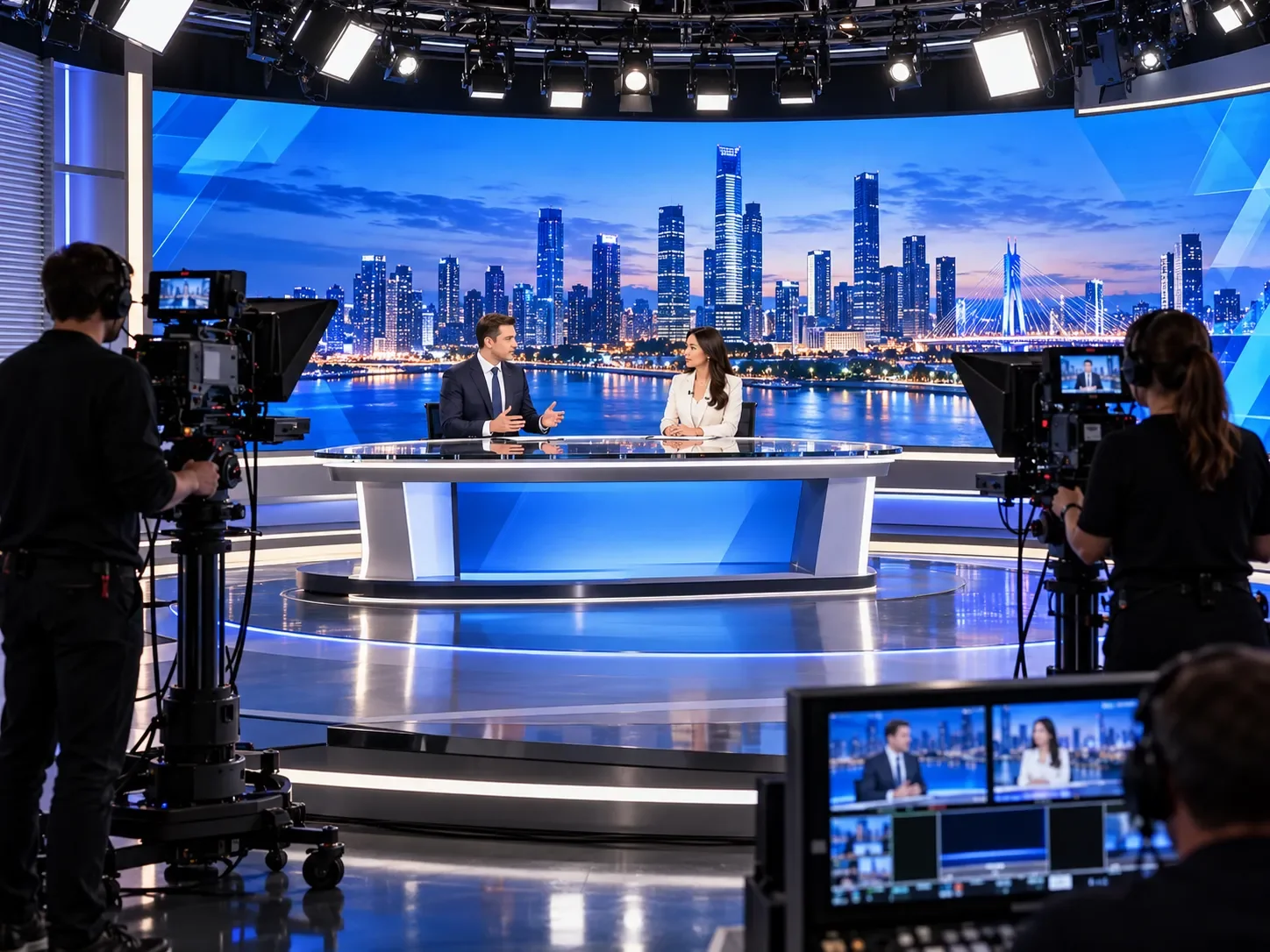
Professional Broadcast Studios
START BY COMPARING P0.9–P2.5
Camera distance, framing, moiré, scanning performance, refresh behavior, and lighting are critical. Pixel pitch alone won't determine how well the wall appears on camera.
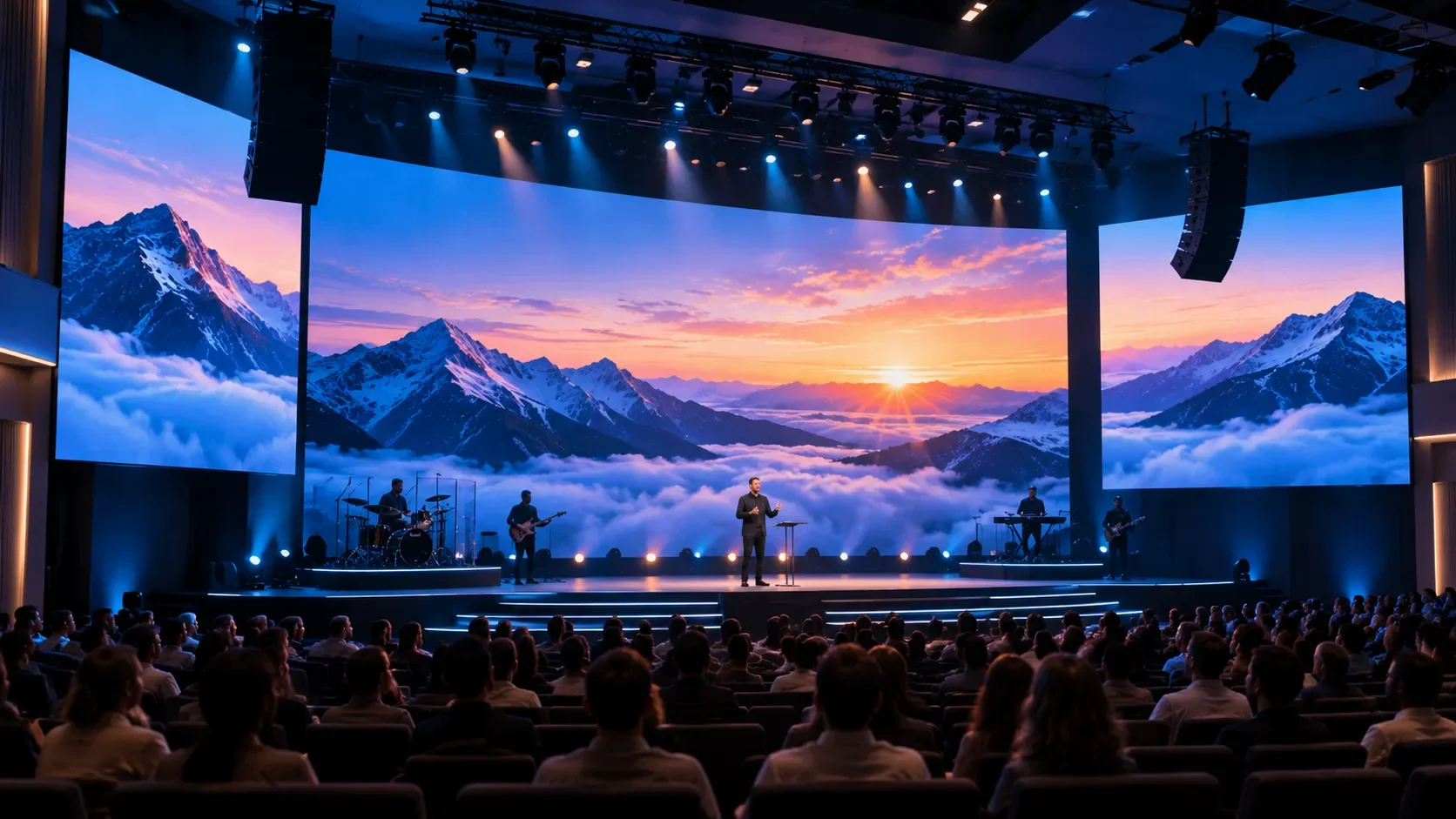
Auditoriums, Churches, and Event Venues
START BY COMPARING P2.5–P3.9
Larger viewing distances often make a wider pixel pitch practical. But seats near the stage, presentation text, and camera use may justify finer options.
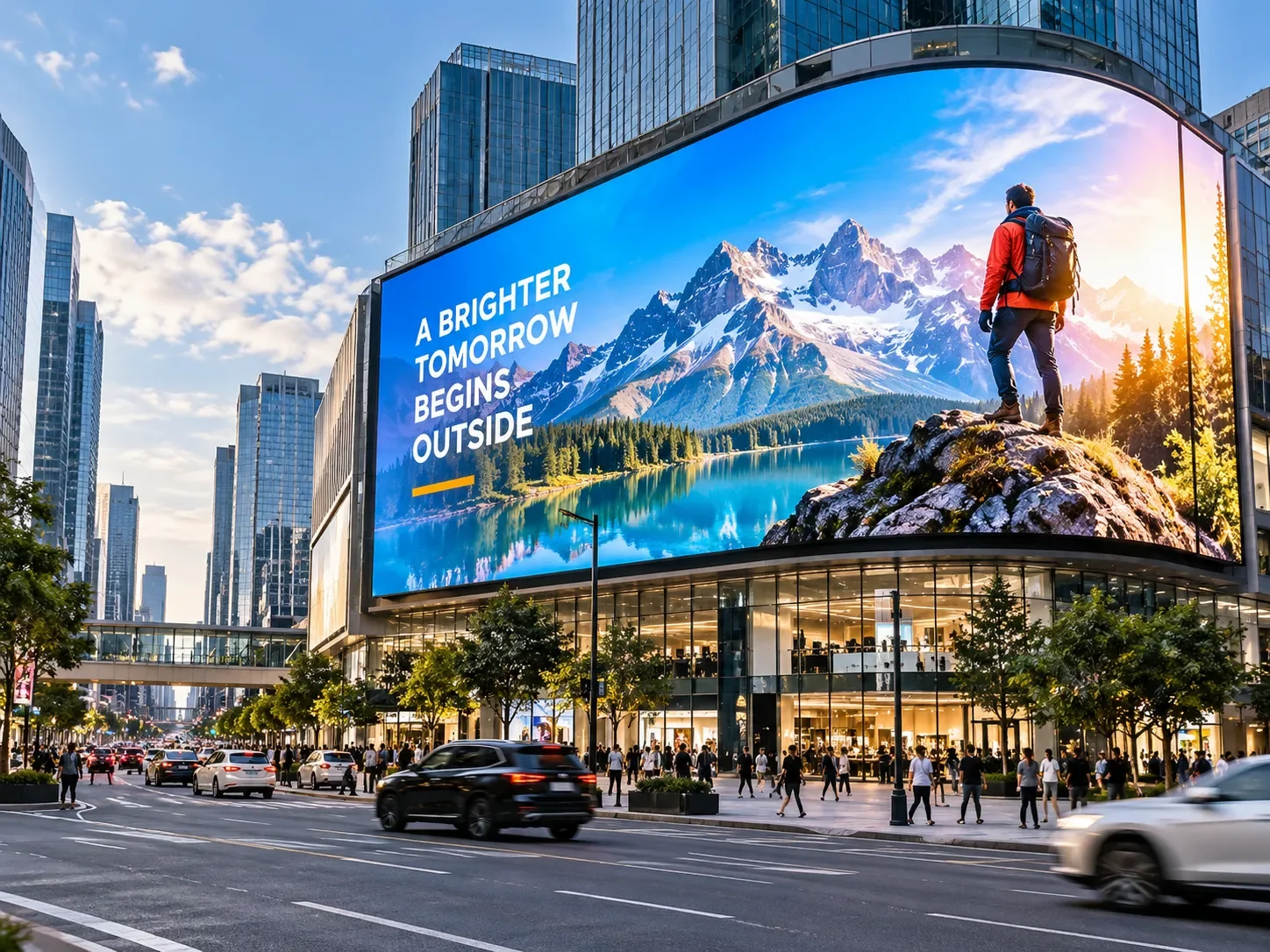
Outdoor Advertising and Large-Format Signage
START BY COMPARING P3.9–P10 OR COARSER
Outdoor displays are often seen from greater distances. Brightness, weather protection, sunlight visibility, and structural requirements may be more important than very fine pixel density.
6. How Does Pixel Pitch Affect LED Video Wall Pricing?
Here's where choosing the right specification can make a substantial financial difference.
Generally speaking, finer-pitch LED displays cost more than comparable larger-pitch displays.
Why?
When pixels are placed closer together, more pixels must fit into every square meter of screen area.
| Pixel pitch | Pixels per square meter |
|---|---|
| P0.9 | 1,234,568 |
| P1.2 | 694,444 |
| P1.5 | 444,444 |
| P1.8 | 308,642 |
| P2.5 | 160,000 |
| P3.9 | 65,746 |
The numbers tell an interesting story.
A P1.2 LED wall has approximately 4.3 times the pixel density of a P2.5 wall.
But that does not mean it necessarily costs 4.3 times as much.
Display pricing also depends on the manufacturer, chip technology, encapsulation, brightness, production yield, processing electronics, serviceability, installation requirements, and warranty.
The important takeaway is that a finer pixel pitch can increase the investment significantly—and you should make sure your viewing environment benefits from it.
A well-designed P2.5 installation may deliver better overall value than an unnecessarily expensive P1.2 installation in a large venue.
7. What About COB vs. SMD? Does LED Technology Change the Decision?
If you've been researching LED displays, you've probably also encountered terms such as COB (Chip-on-Board) and SMD (Surface-Mounted Device).
These describe aspects of how the LED display is constructed.
Pixel pitch, on the other hand, describes how closely the pixels are spaced.
They're related considerations, but they aren't interchangeable.
Two video walls can have approximately the same P1.2 pixel pitch while using different LED packaging and surface-construction approaches.
The image quality, durability, appearance, serviceability, and cost may still differ.
This means choosing an LED display involves at least two separate questions:
1. What pixel pitch do I need? This depends largely on viewing distance, screen size, and content.
2. What LED construction technology is best? This depends on requirements such as surface durability, optical performance, maintenance, and budget.
Neither question should be answered in isolation.
For a deeper look at the construction technologies, read our Pixel Excel guide: COB vs. SMD LED: What's the Difference?
8. Five Common Pixel Pitch Buying Mistakes
Even buyers with experience in audiovisual technology sometimes focus on the wrong specifications.
Here are five common mistakes worth avoiding.
Mistake #1: Assuming the smallest pixel pitch is always the best choice.
Finer pitch can improve close-up detail, but an installation should be designed around real viewing conditions—not just the specification sheet.
Mistake #2: Ignoring the closest viewer.
A display may look excellent from the back of a room while appearing noticeably pixelated to someone standing close to it.
Mistake #3: Confusing a large screen with high resolution.
A physically massive P3.9 LED wall can have fewer pixels than a much smaller fine-pitch LED wall.
Mistake #4: Forgetting about the actual content.
Large, bold promotional videos are much more forgiving than small text, spreadsheets, dashboards, or detailed diagrams.
Mistake #5: Comparing prices without considering the complete system.
Video processing, controllers, mounting structures, power distribution, installation, calibration, maintenance access, and warranty support can all affect the final investment.
9. How to Choose the Right Pixel Pitch: A Simple Checklist
Before requesting quotes or comparing LED wall models, try answering these questions:
Your LED wall planning checklist
0 of 6 completedOnce you have this information, comparing pixel pitches becomes much easier.
Instead of asking, “Which LED wall has the best specifications?” you can ask, “Which LED wall delivers the image quality I actually need at a price that makes sense?”
That's a much more useful starting point.
10. Frequently Asked Questions About LED Pixel Pitch
Is P1.2 better than P2.5?
P1.2 has a higher pixel density than P2.5, which can produce greater image detail at the same screen size. However, P2.5 may offer better value for installations viewed from farther away.
What pixel pitch do I need for a conference room?
P0.9 to P1.5 can be a useful range to investigate, especially for detailed presentations and close-viewing environments. The final choice should account for seating distance, content type, screen dimensions, and budget.
Can a P2.5 LED wall display 4K content?
Yes, but accepting a 4K signal isn't the same as displaying a native 4K image. Whether the wall contains 3840 × 2160 physical pixels depends on its dimensions and pixel pitch. If the native resolution is lower, the image must be scaled.
What's the difference between P1.5 and P1.8?
P1.5 packs approximately 44% more pixels into the same screen area than P1.8. This can improve close-up detail, although the visible difference depends on viewing distance, content, and display quality.
Does pixel pitch affect brightness?
Pixel pitch can influence display design and optical performance, but it doesn't directly determine brightness. Always compare the actual brightness specifications, typically measured in nits, for the specific models under consideration.
Can I upgrade an existing LED wall to a smaller pixel pitch?
Usually, reducing pixel pitch requires replacing LED modules or cabinets and may involve changes to the processing and control systems. It generally isn't a simple software upgrade.
Final Thoughts: The Best Pixel Pitch Is the One That Fits Your Space
Choosing an LED video wall isn't about finding the smallest number on a specification sheet.
It's about understanding where the display will be installed, how people will experience it, what content it will show, and how much you're comfortable investing.
A high-end P0.9 display may be exactly right for a premium close-viewing installation.
A P1.5 or P1.8 wall might provide an excellent balance of detail and value in a corporate environment.
And a P2.5 or P3.9 solution could be an ideal match for a larger space where viewers are farther away.
The smartest decision comes from understanding these trade-offs before making a purchase.
Not Sure Which Pixel Pitch Is Right for Your Space?
At Pixel Excel, we believe choosing the right display should be exciting—not overwhelming.
Whether you're planning a video wall for a business, showroom, conference room, retail store, or personal space, we're here to help you explore options that match your needs and budget.
We offer free expert guidance, and we can also create a custom visual mockup showing how a recommended display could look in your actual space before you buy or install it.
Sometimes the easiest way to choose the right screen is to see how it might look where it belongs.
Contact Pixel Excel to explore your options.